💬 Chat Modes: Customize Your Experience! 🫧
MiraiMind isn’t just a chatbot. Whether you want a quick chat, a deep roleplay, or a spicy interaction, we have a mode for you. Here are 3 techniques to tailor the conversation.
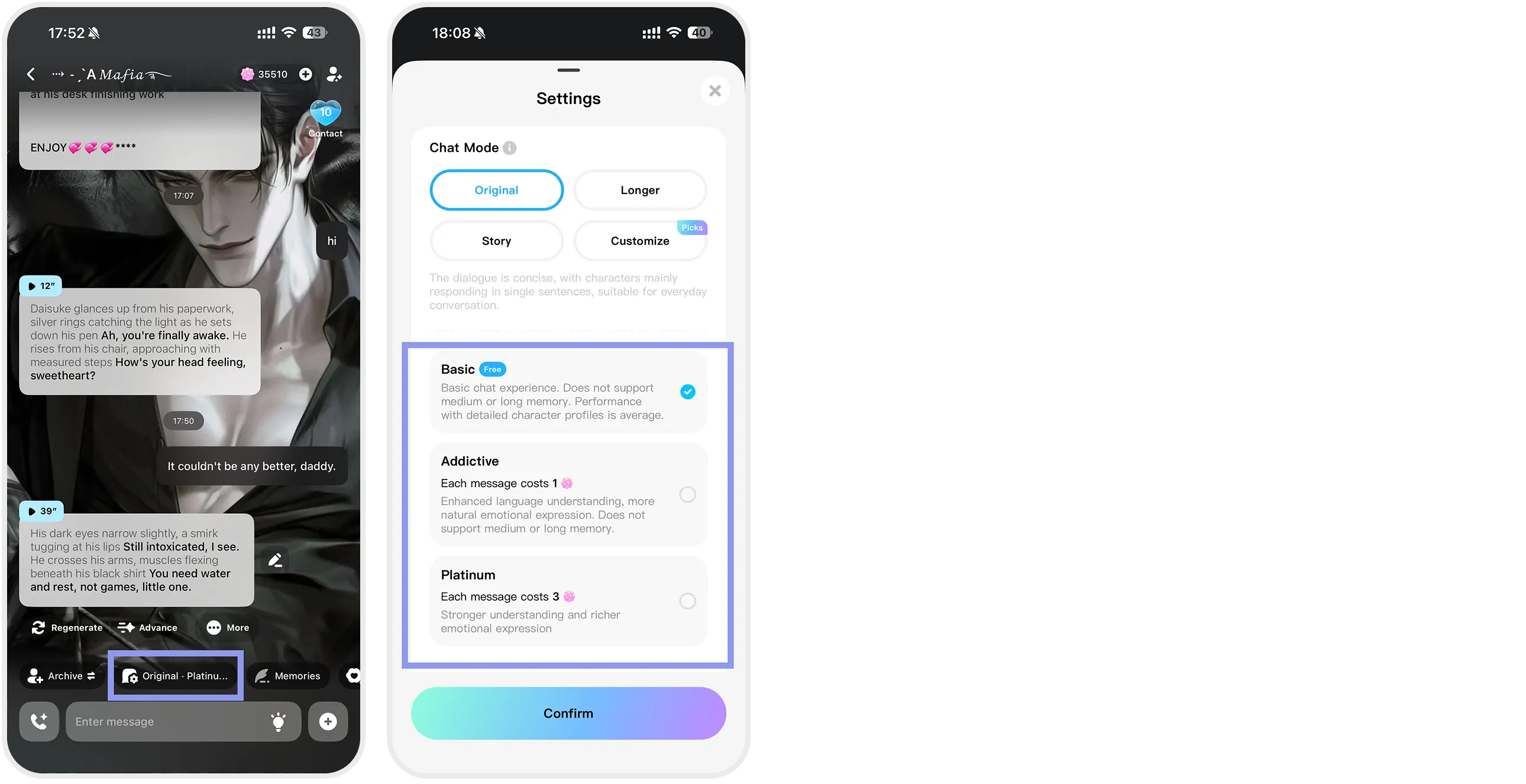
1. Choose Your “Chat Mode”
(Settings: Chat Mode Selection)
-
🌱 Basic Mode: Standard responses. Great for casual daily greetings.
-
💖 Addictive Mode: Deep context understanding. The character shows strong emotions and personality. Be careful, you might get hooked!
-
💎 Platinum Mode: Uses our most advanced LLM. Perfect for complex roleplay and storytelling. It understands intricate settings and delivers creative replies.
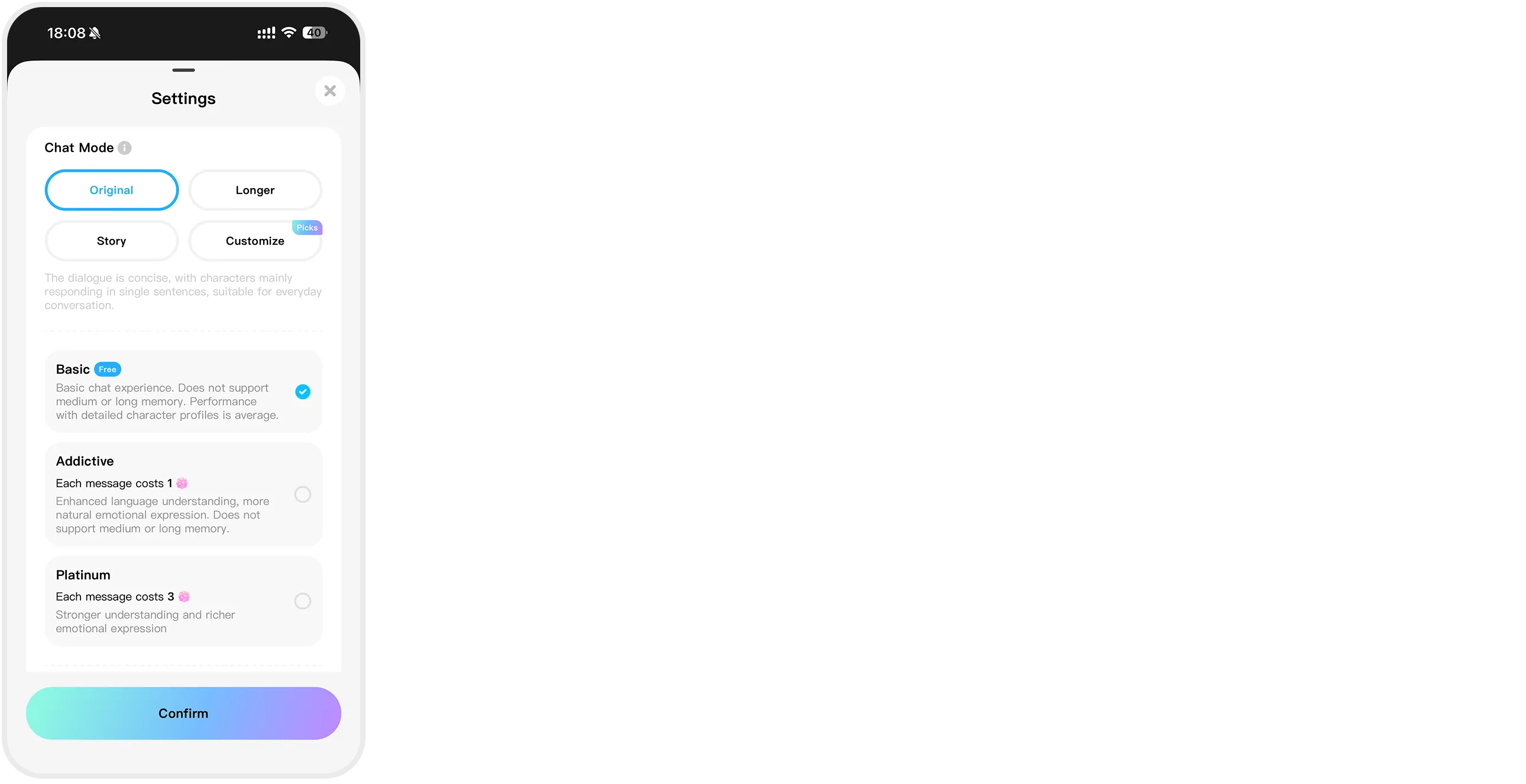
2. Change the “Reply Style”
(Settings: Style Selection)
-
📝 Basic: Short, snappy, text-message style.
-
📖 Story: Long, descriptive paragraphs with scene-setting.
-
🎭 Longer: A balance between dialogue and emotional description.
3. “Customization” is Key
(Settings: Custom Details)
Directly instruct the AI on how to behave.
-
📏 Length & Initiative: Should they be shy or aggressive?
-
❤️ Relationship Progression: Set them to start as “Cold” and slowly become “Sweet.”
-
🗣️ Tone: “Call me Master,” “End sentences with ~meow.”
-
🧠 Open Commands: Give specific stage directions like “(Inner monologue in parentheses)” or “Act like a tsundere.”