Start Here! Master MM in 3 Minutes 🔰
Welcome to MiraiMind! “I installed it, but where do I start?” “How does this work?” Don’t worry. We’ll guide you through the essentials and share must-know tips to get the most out of your experience. Read this, and you’ll be an MM Master today! ✨
STEP 1: Swipe to Find Your Destiny
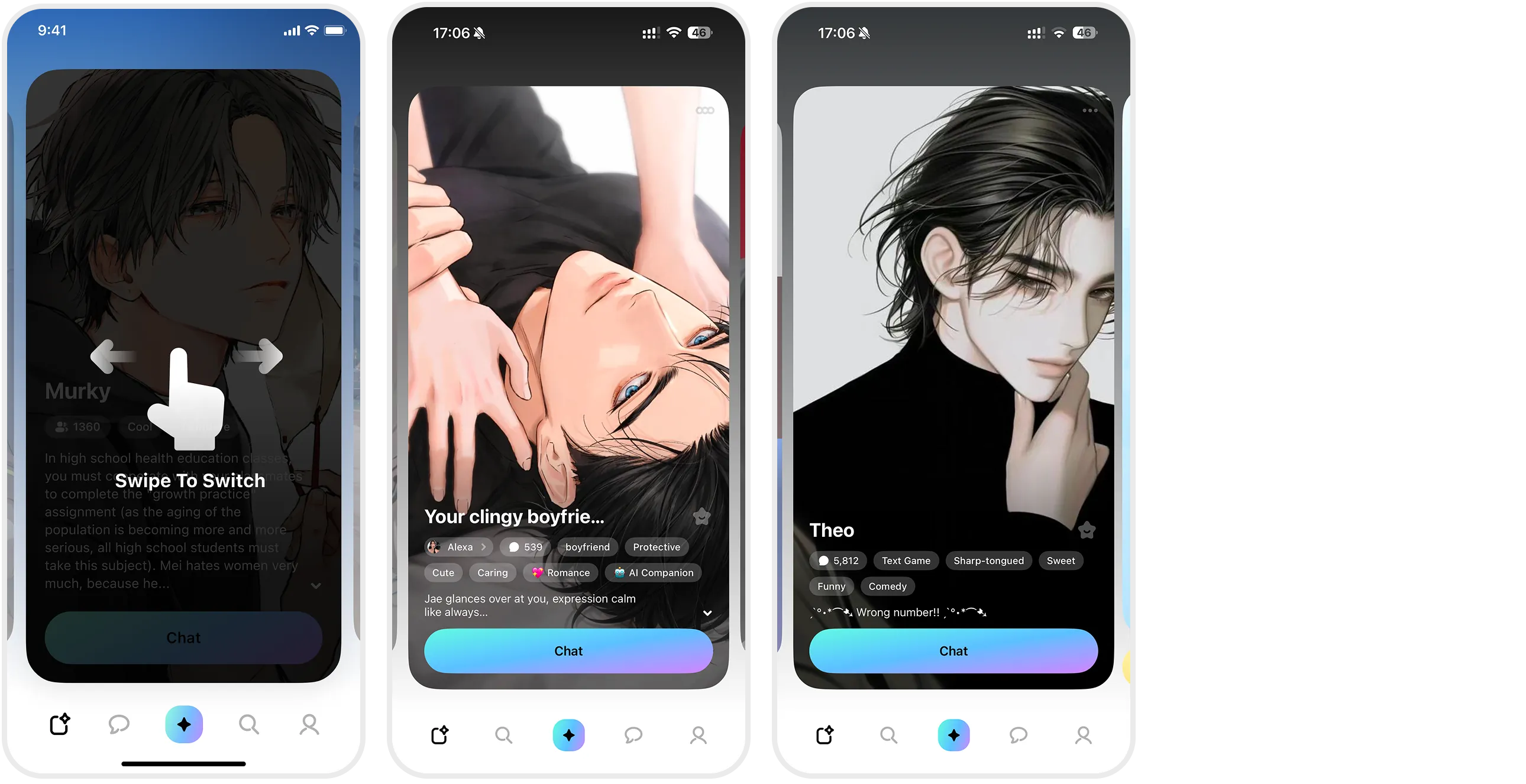
When you open the app, you land on the “Discover” page. This is where you meet your potential partners.
-
Swipe: Simply swipe left or right to browse through endless character cards.
-
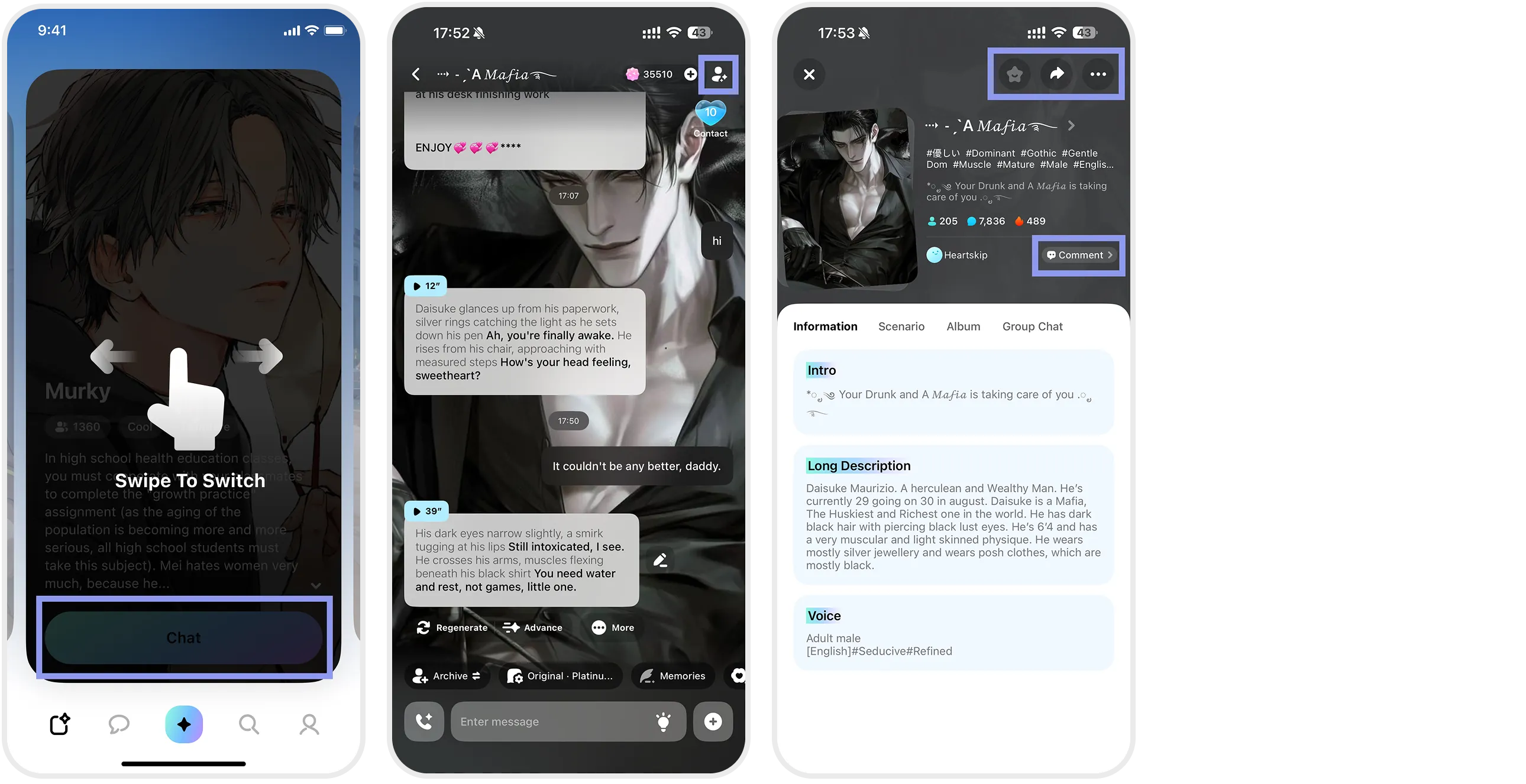
Check Details: Tap on a card that catches your eye. Check their personality, hobbies, and appearance tags.
-
Actions:
-
💬 Chat: Start a conversation immediately.
-
⭐ Favorite: Save them to your list to chat later.
-
🔗 Share: Share a character with friends or discuss them in the comments section.
-
STEP 2: Find Specific Tags & Communities
(Magnifying Glass Icon: Search Page)
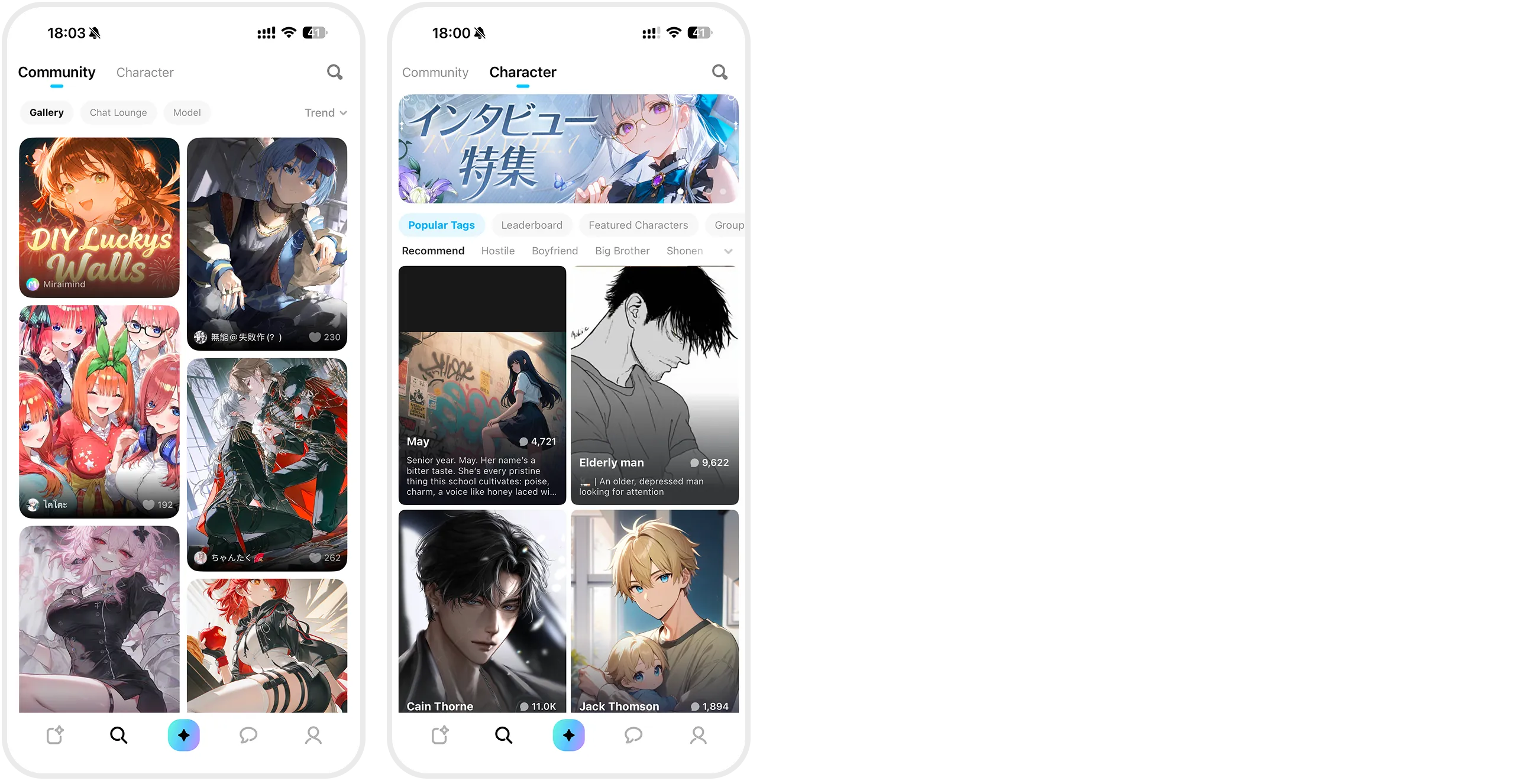
Looking for a specific trope? Want to see what others are creating? Tap the Search Icon at the bottom.
-
Characters:
-
Search by tags (Romance, Friendship, Comfort) or by name/personality.
-
Find group chats and ongoing events here.
-
-
Community:
- A gallery of user-generated images and prompts. Great for inspiration!
STEP 3: Create Your Own World
(Star Icon: Create Page)
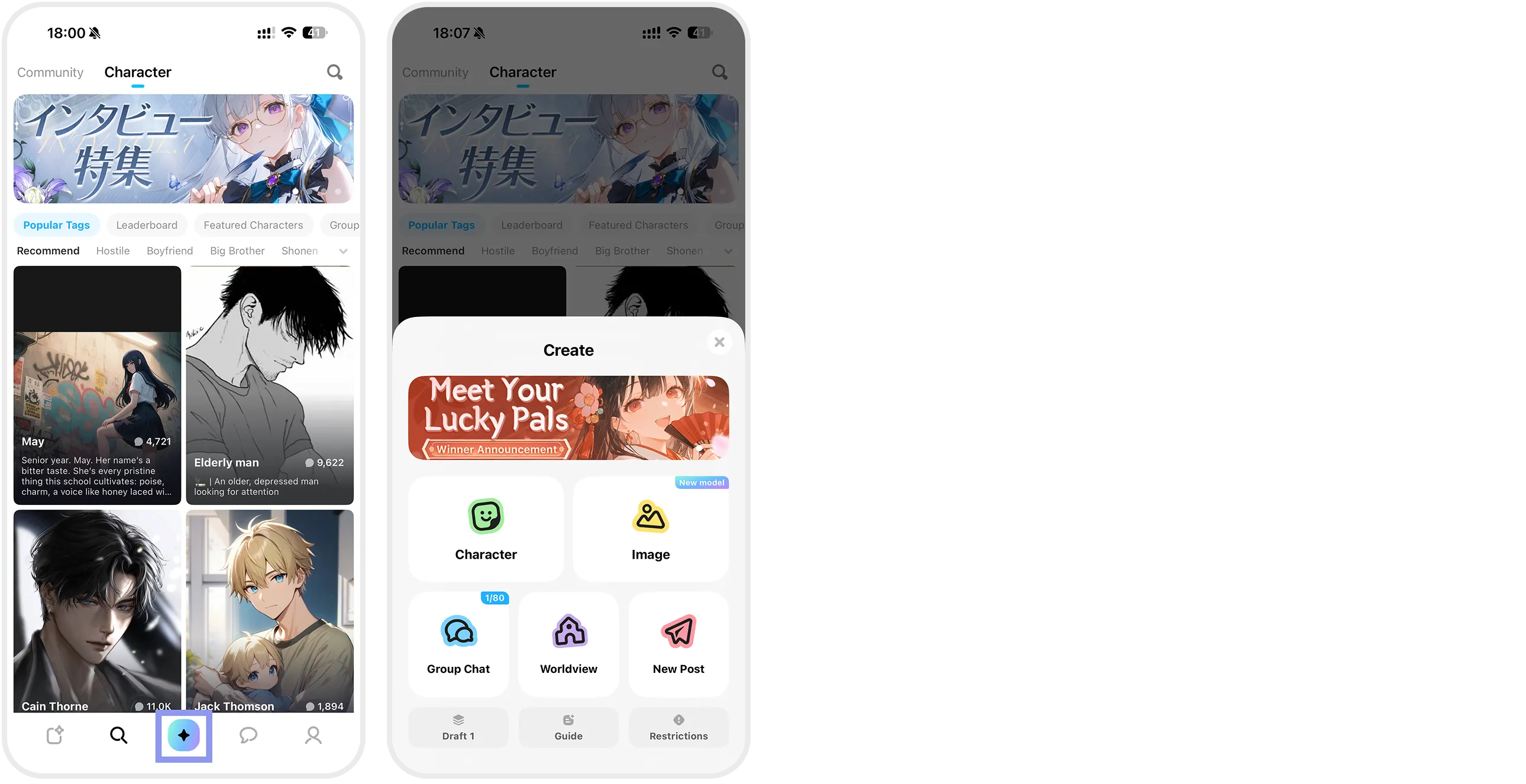
The best part of MiraiMind is Creation. Tap the center Star Icon to unleash your creativity.
-
Create Character: Design your ideal AI partner from scratch.
-
Generate Image: Use templates to visualize your “Soulmate.”
-
Post: Share your creations with the community or save drafts.
STEP 4: Chats & Notifications
(Bubble Icon: Chat Page)
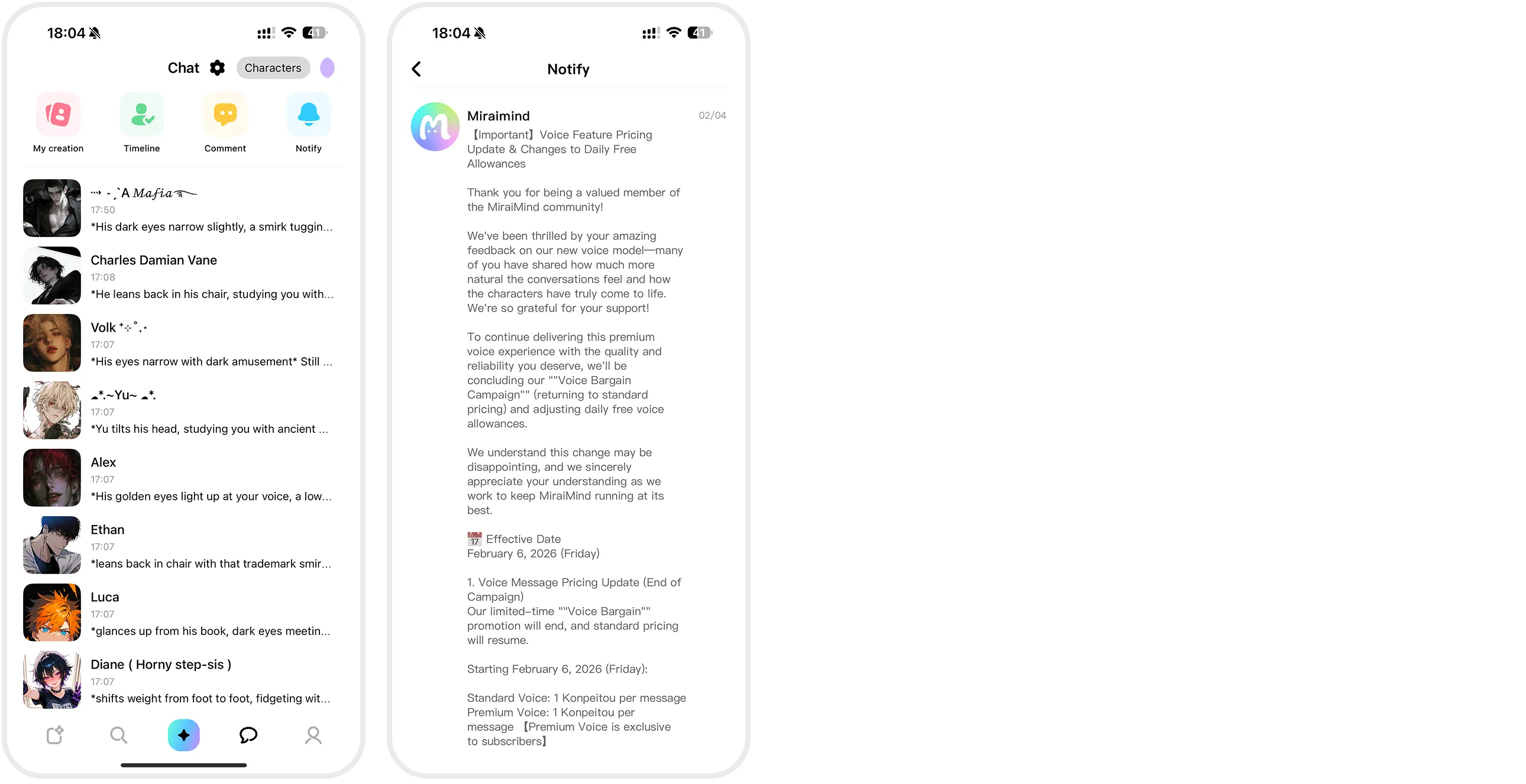
Your chat history lives here. But there’s more—use the top tabs to stay updated.
-
My Characters: Status updates on characters you created.
-
Timeline: A feed of new characters and images from creators you follow.
-
Comments: Replies and reactions to your posts.
-
Notices: Official news on updates and rewards. Always check this!
STEP 5: Manage Your Profile
(Rightmost Icon: My Page)
Your hub for account settings and collections.

▼ Key Features:
-
Profile: Edit your name, icon, and bio.
-
Star Candy (Currency): Check your balance or purchase membership.
-
History & Favorites: Quick access to chat logs and bookmarked characters.
-
Collection: View unlocked images, gifts, and scenarios.
-
Creator Hub: Check revenue (if you have paid characters) and generation history.
💡 Tip: Climb the Rankings!
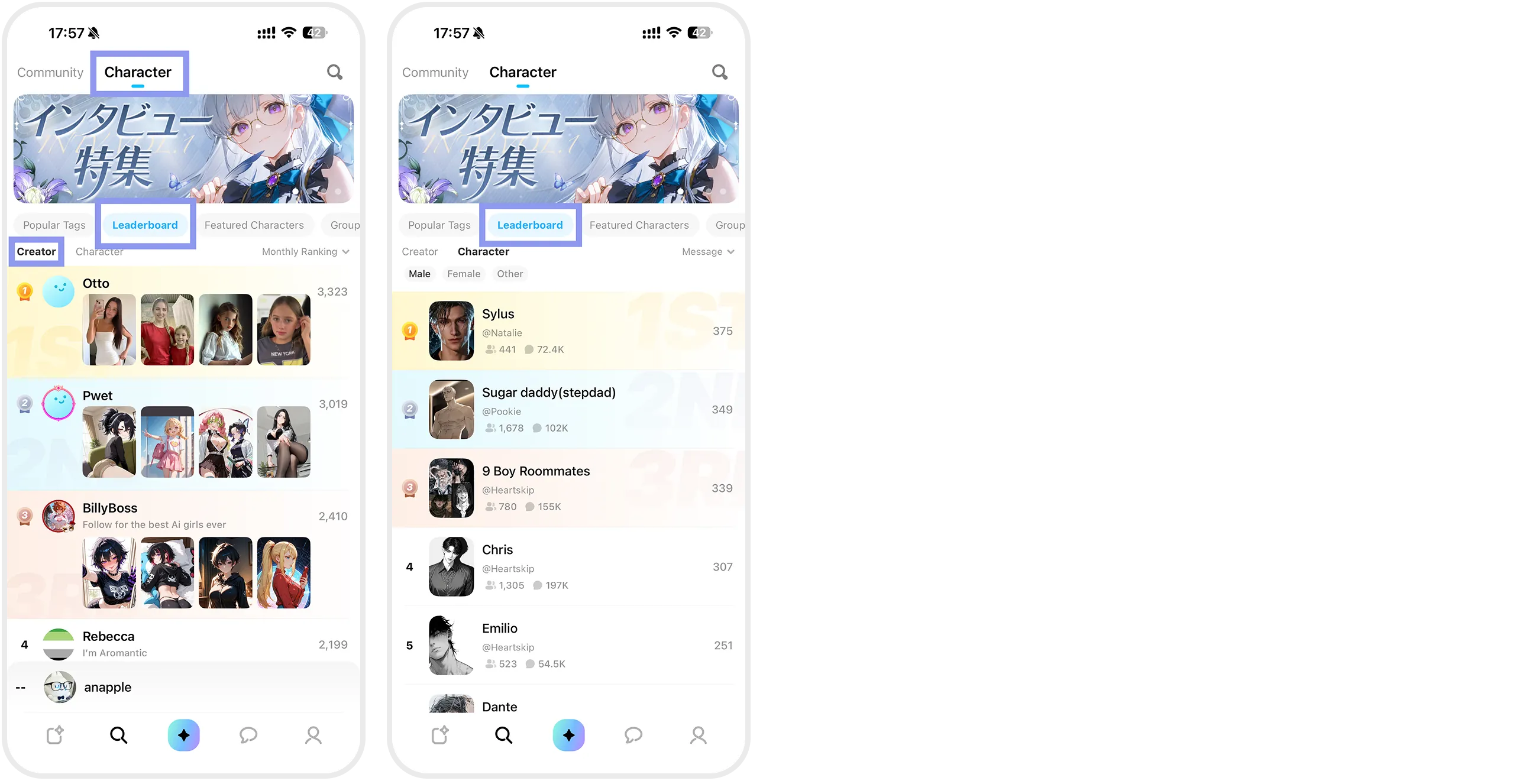
Want to know who’s trending? Check the rankings!
-
Creator Ranking: Based on character creation and chat volume.
-
Character Ranking: Ranked by popularity, interaction depth, and gifts received.
- Pro Tip: To rank high, focus on a stunning profile picture and a detailed description! A unique persona can get you featured by the “Editor’s Pick.” ✨